> ## Documentation Index
> Fetch the complete documentation index at: https://docs.testdino.com/llms.txt
> Use this file to discover all available pages before exploring further.
# TestDino Organization Settings
> Update your organization name, logo, and profile details.
**What you'll learn**
* How to update your organization name, website, and logo
* Which fields are editable vs. read-only
* How to handle ownership and deletion
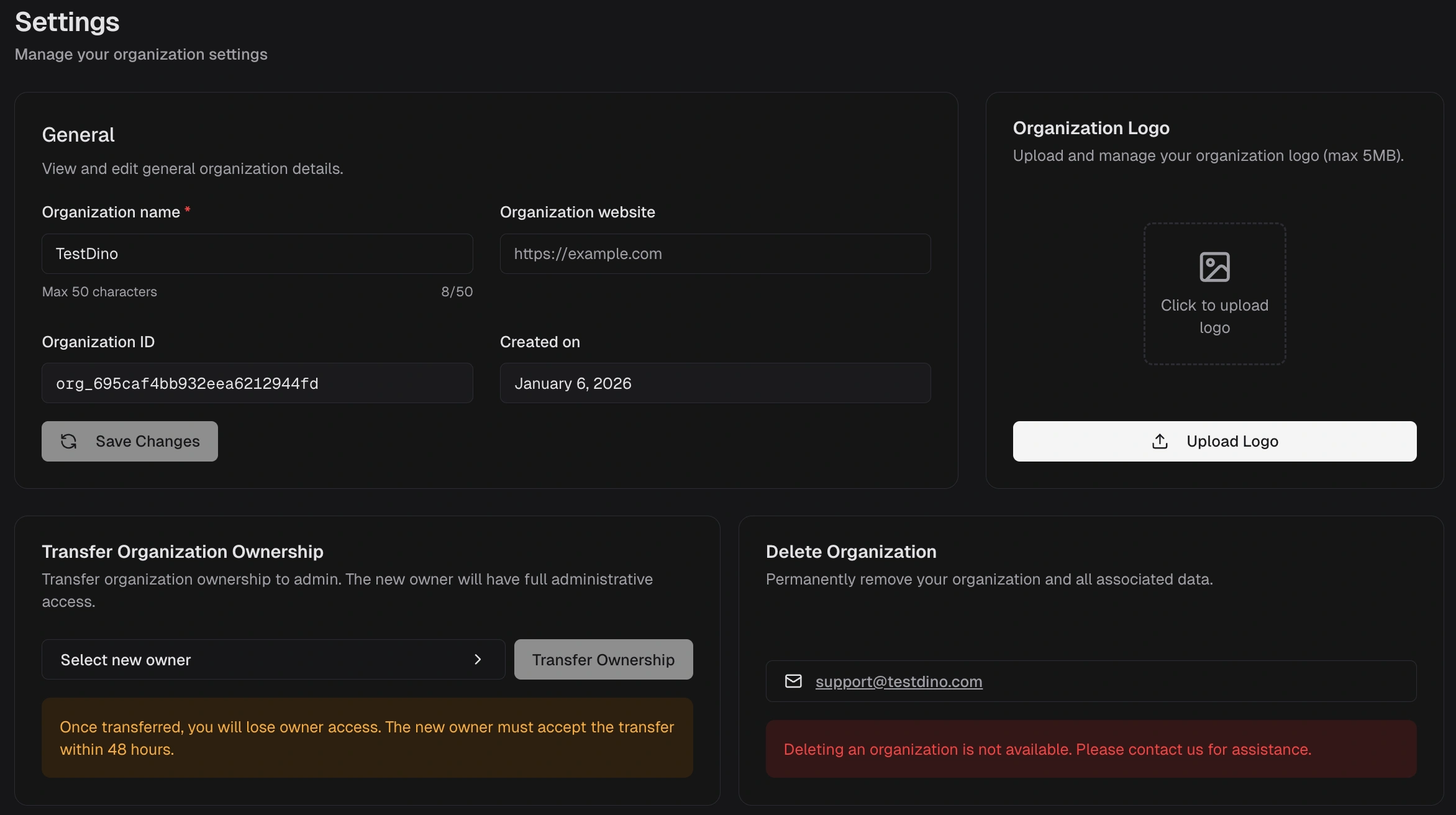
Configure the organization profile shown across dashboards and reports.
## Editable Fields
* **Organization name** and **Organization website** — edit and click **Save Changes**.
* **Organization logo** — PNG or JPG, up to 5 MB. Brands project dashboards and reports.
## Read-Only Fields
* **Organization ID** and **Created on** — reference values for support tickets.
## Ownership & Deletion
* Keep one Admin to allow ownership transfer when needed.
* Contact [support@testdino.com](mailto:support@testdino.com) for ownership disputes or deletion requests.
## Single Sign-On
Connect your company identity provider so your team signs in with OIDC or SAML. See [Single Sign-On](/platform/organizations/single-sign-on).
**Warning**
Only Owners and Administrators can update organization settings, manage members, or delete the organization.