> ## Documentation Index
> Fetch the complete documentation index at: https://docs.testdino.com/llms.txt
> Use this file to discover all available pages before exploring further.
# Playwright Test Case AI Insights
> AI diagnosis with confidence scores and fix suggestions per test case.
**What you'll learn**
* How AI classifies test failures with confidence scores
* What recommendations and quick fixes are provided
* How historical insights show recurring vs. new failures
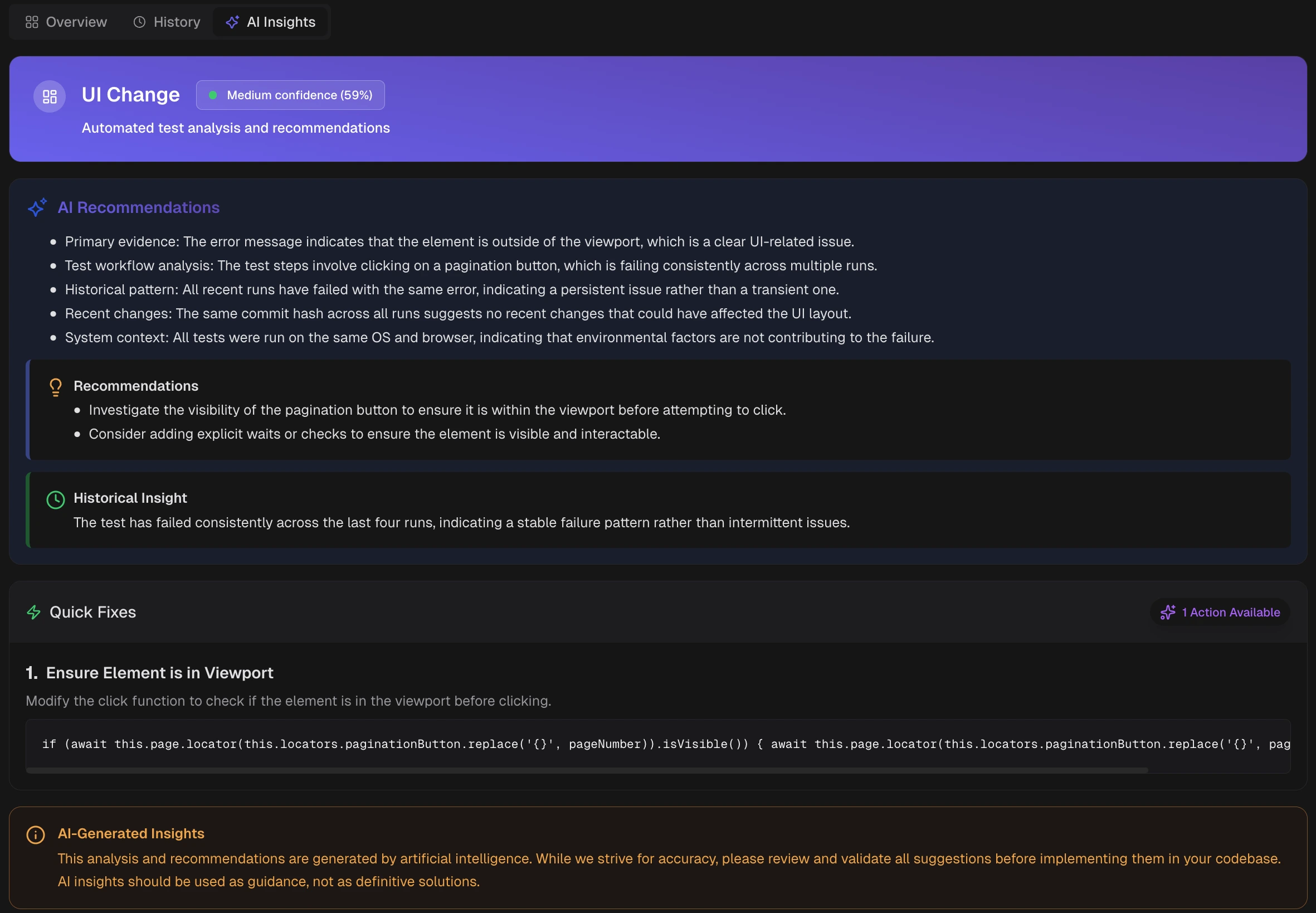 AI Insights explains why this test failed or was flaky and what to do next. Available for failed or flaky tests; includes confidence scores and recommended actions.
1. **Category and Confidence Score:** Current AI label with confidence. Update it through feedback.
2. **AI Recommendations:** Primary evidence and likely cause, linked to recent changes when relevant.
3. **Historical Insight:** Behavior across recent runs to show whether this is new or recurring.
4. **Quick Fixes:** Targeted changes to try first. Validate locally or in a branch.
**Warning**
These are AI-generated analyses and recommendations. Review and validate suggestions before implementing them. Use insights as guidance, not definitive solutions.
## Related
Test case status and evidence
Track stability across runs
View all test executions
AI Insights explains why this test failed or was flaky and what to do next. Available for failed or flaky tests; includes confidence scores and recommended actions.
1. **Category and Confidence Score:** Current AI label with confidence. Update it through feedback.
2. **AI Recommendations:** Primary evidence and likely cause, linked to recent changes when relevant.
3. **Historical Insight:** Behavior across recent runs to show whether this is new or recurring.
4. **Quick Fixes:** Targeted changes to try first. Validate locally or in a branch.
**Warning**
These are AI-generated analyses and recommendations. Review and validate suggestions before implementing them. Use insights as guidance, not definitive solutions.
## Related
Test case status and evidence
Track stability across runs
View all test executions