> ## Documentation Index
> Fetch the complete documentation index at: https://docs.testdino.com/llms.txt
> Use this file to discover all available pages before exploring further.
# Playwright Test Run History in TestDino
> Track outcome and duration trends across recent test runs.
**What you'll learn**
* How to track pass/fail/flaky trends across recent runs
* How to spot execution time regressions
* What "large changes" highlights mean
The History tab shows outcome and duration trends for recent runs on the same branch and CI environment as the selected run. Use it to detect instability, regressions, and environment changes.
## Run History
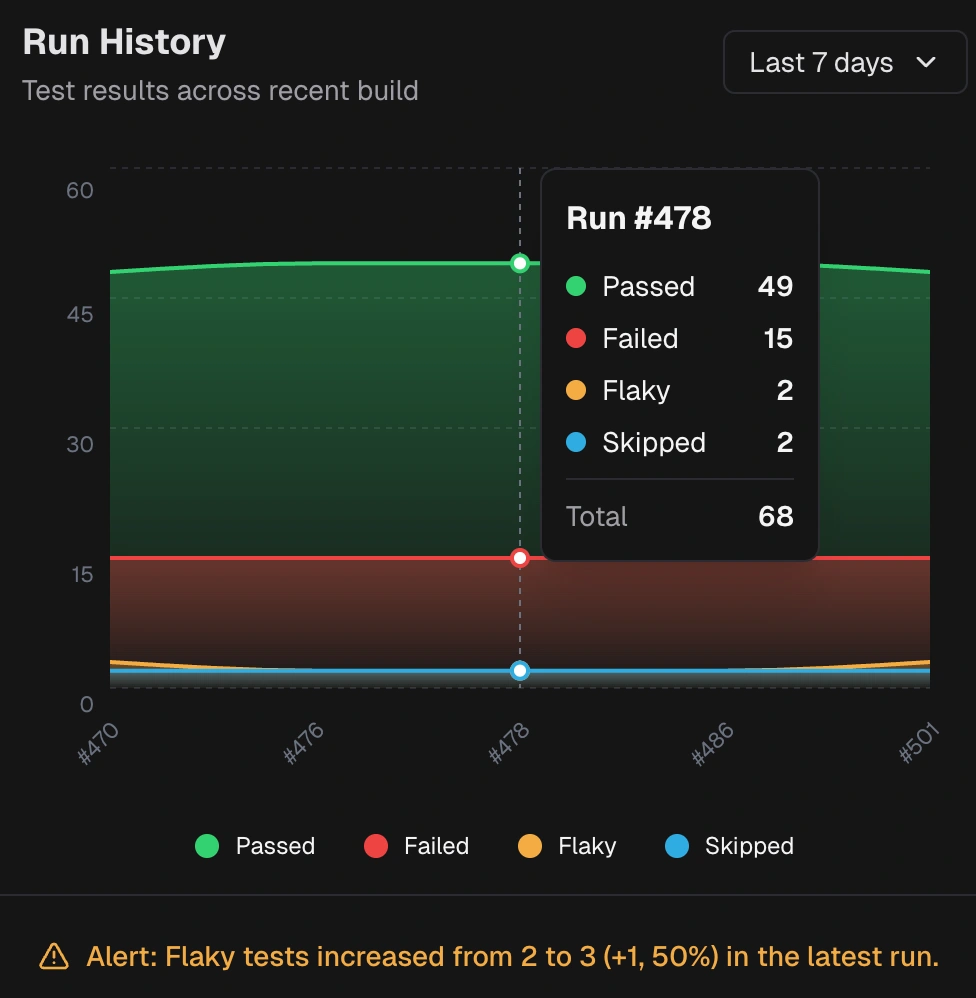 Shows counts of passed, failed, flaky, and skipped tests over the selected period. Uses the branch from the selected run. Highlights large changes in flaky share compared to the recent baseline.
## Test Execution Time
Shows counts of passed, failed, flaky, and skipped tests over the selected period. Uses the branch from the selected run. Highlights large changes in flaky share compared to the recent baseline.
## Test Execution Time
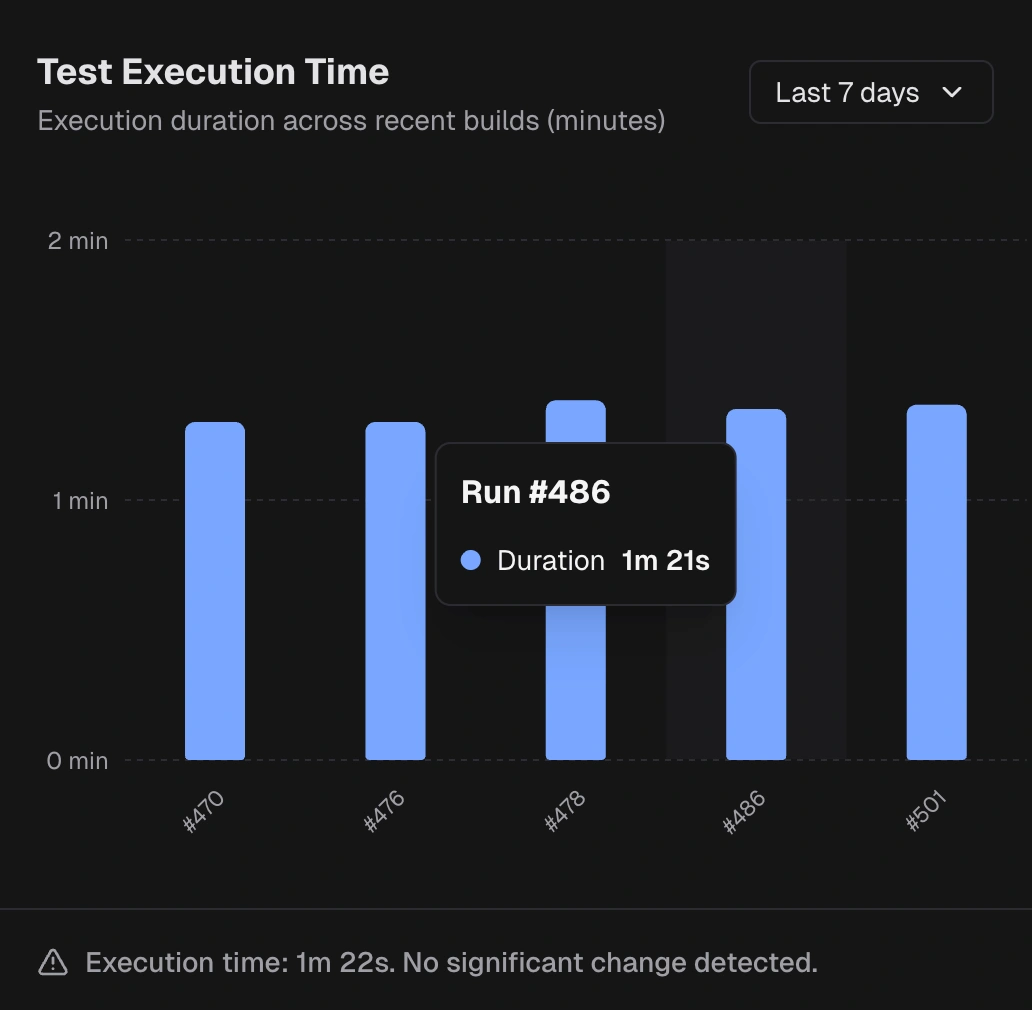 Shows total runtime per run. Highlights large changes compared to the recent average.
## Related
Group failures by cause
Review results by spec file
Group failures by error message
Debug environment differences
Shows total runtime per run. Highlights large changes compared to the recent average.
## Related
Group failures by cause
Review results by spec file
Group failures by error message
Debug environment differences