

What you’ll learn
- How monthly test execution quotas work
- How to redistribute limits across projects
- How Auto-Borrow prevents test interruptions
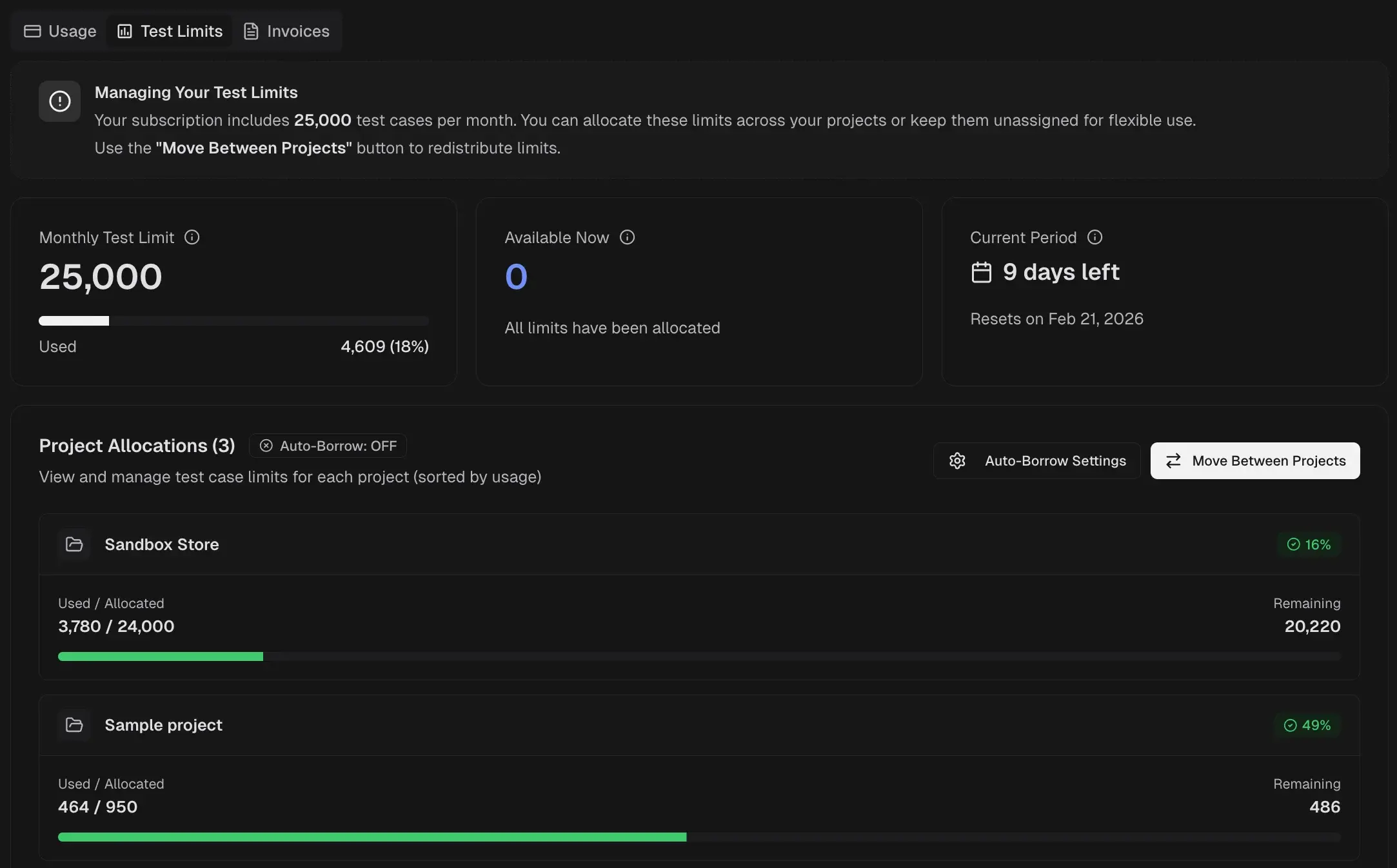
Quota Summary
Three cards summarize your current allocation status.| Card | Description |
|---|---|
| Monthly Test Limit | Total executions included in your plan, with a usage bar showing consumed count |
| Available Now | Unallocated executions available for assignment to projects |
| Current Period | Days remaining until the quota resets, with the reset date |
Project Allocations
Each project displays its allocation with three values.| Field | Description |
|---|---|
| Used / Allocated | Executions consumed vs. total assigned to the project |
| Remaining | Executions still available within the project’s allocation |
| Usage % | Percentage of allocated limit consumed |
Redistribute Limits
- Select Move Between Projects.
- Choose the source and target projects.
- Enter the number of executions to transfer.
- Confirm the transfer.
Auto-Borrow
When a project exhausts its allocation, it borrows from the unallocated pool. Test runs continue without interruption even when a project exceeds its limit.- Auto-Borrow: ON allows projects to borrow unallocated executions automatically
- Auto-Borrow: OFF blocks test streaming when a project reaches its limit
InfoBorrowed executions reduce the unallocated pool and affect availability for other projects.
Related
Usage Overview
View subscription status and plan features
Invoices
View, download, and filter billing invoices