

Prerequisites
Connect the TestDino MCP server first. The button copies an instruction that names your test run or test case, and the assistant needs MCP to read it.- Local MCP Server for Claude Code, Cursor, and Claude Desktop
- Remote MCP Server for ChatGPT and Claude on the web
Where the button appears
The button stays hidden while a test run is still executing, and on a test run where nothing failed. A test run reporting
passed still shows the button when it carries flaky test cases.
Hand off a failure
1
Open the failing test run or test case
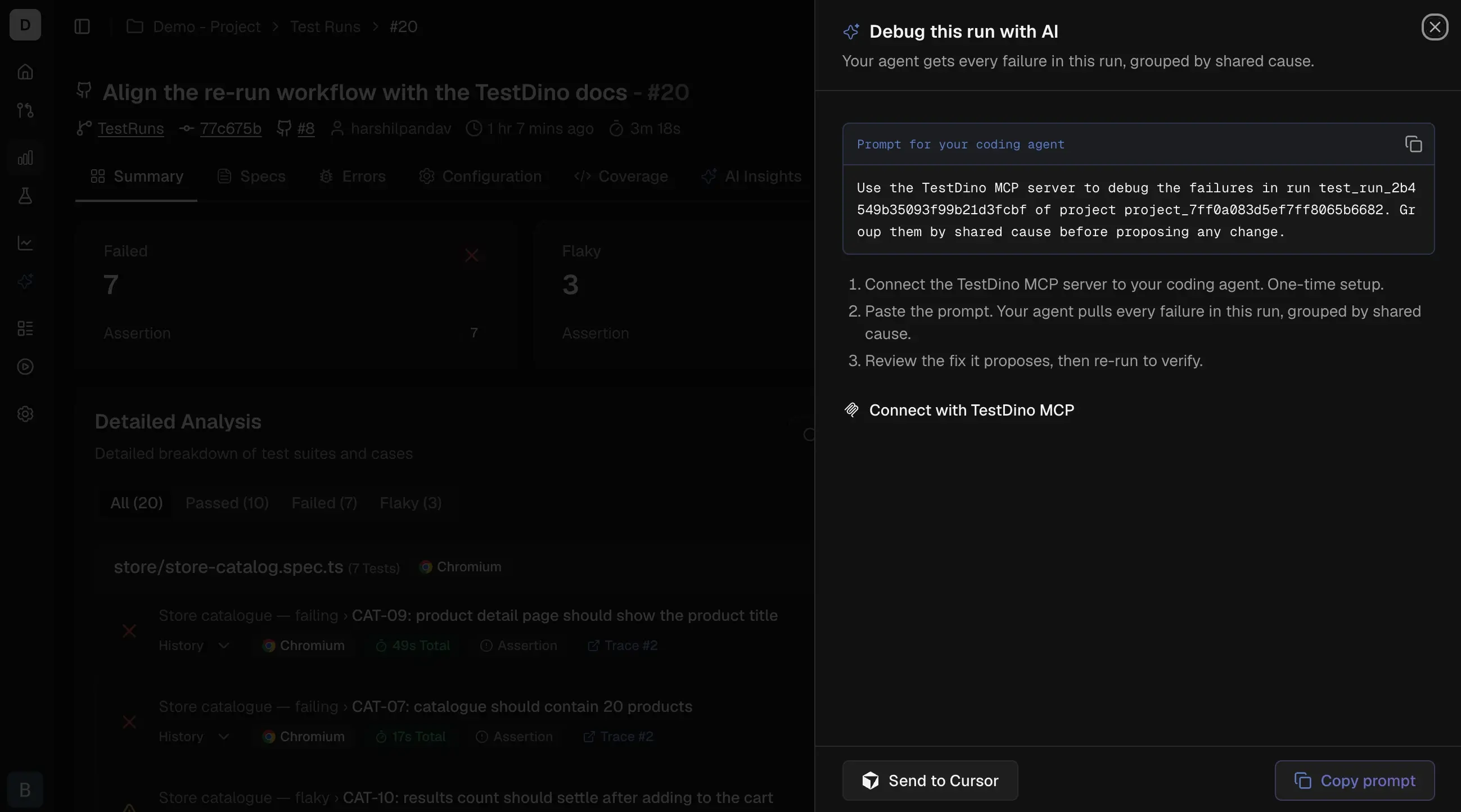
Click Debug with AI. A panel opens with the hand-off options. Click Copy prompt to put the instruction on your clipboard.
2
Paste it into your assistant
Paste into Claude Code, Codex, VS Code, or any MCP client. The instruction names the project, the test run, and the test case, so you do not describe what you are looking at.
3
Review what it proposes
The assistant reads the evidence, then proposes a change. It asks before editing a file or running a command.
4
Verify the fix
Push the change and let CI upload a new test run. Ask the assistant to verify the fix, and it compares the new test run against the one you started from.
What the assistant reads
The assistant reads current data from TestDino each time, so a hand-off you copied earlier is never out of date. It pulls 3 things before proposing anything:- Whether the failure repeats across retry attempts, or passed on one of them
- The last test run the test case passed, and the first one it failed
- The trace, screenshots, and the expected, actual, and diff images on a visual failure
Fix a test case or check a flake
The single-test-case hand-off checks the retry evidence before proposing anything. A test case that fails identically on every attempt is not treated as flaky, and a test case that passed on retry does not get its assertion rewritten. Verdicts describe behavior, not cause. They report which fixes the evidence rules out rather than naming a root cause:Triage a whole test run
The test run hand-off groups failures by shared cause and puts the largest group first, because one fix there often closes many test cases at once. On a large test run the assistant tells you when it is working from a sample rather than every affected test case.Verify the fix held
This is the step that closes the loop. After a new test run lands, ask the assistant to verify the fix. It compares that test run against the one you started from and reports one of:
A test case that passes only on a retry never reports
fixed. That is the most common way a fix looks successful without being one.
Related
Debugging Basics
Evidence types and where to find them
MCP Tools Reference
Parameters for every debugging tool
Local MCP Server
Connect Claude Code, Cursor, or Claude Desktop
Flaky Test Detection
How TestDino identifies flaky test cases