The Configuration tab shows the execution context for a test run. Use it to compare runs and find differences in code, CI, runner environment, or Playwright settings.

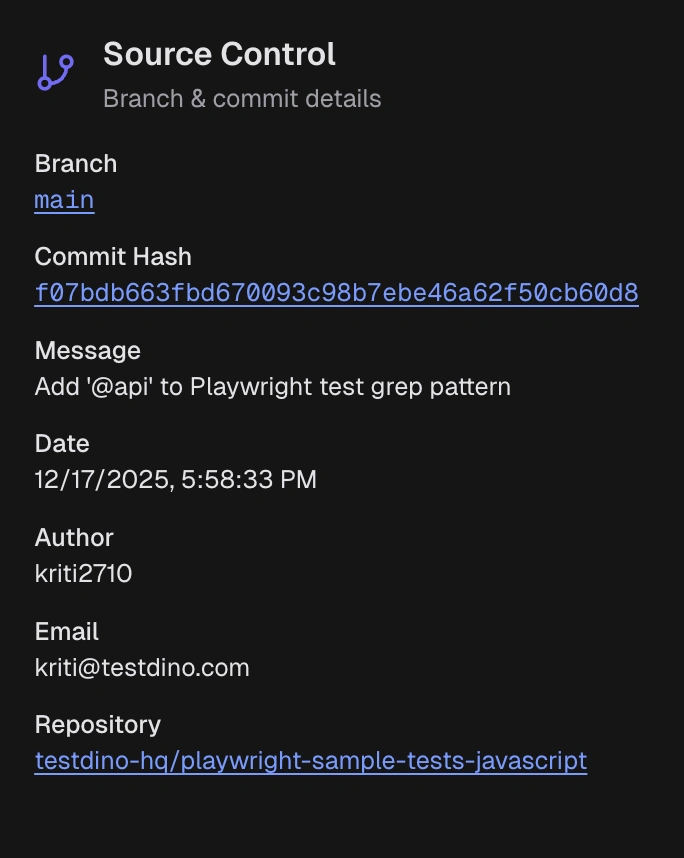
1. Source Control

Source control section showing branch, commit hash, author, message, and repository links
  • Branch, commit hash, author, message, timestamp.
  • Links to repository, commit, and PR.
Use this section to trace the exact code used for the run and reproduce from the same commit.

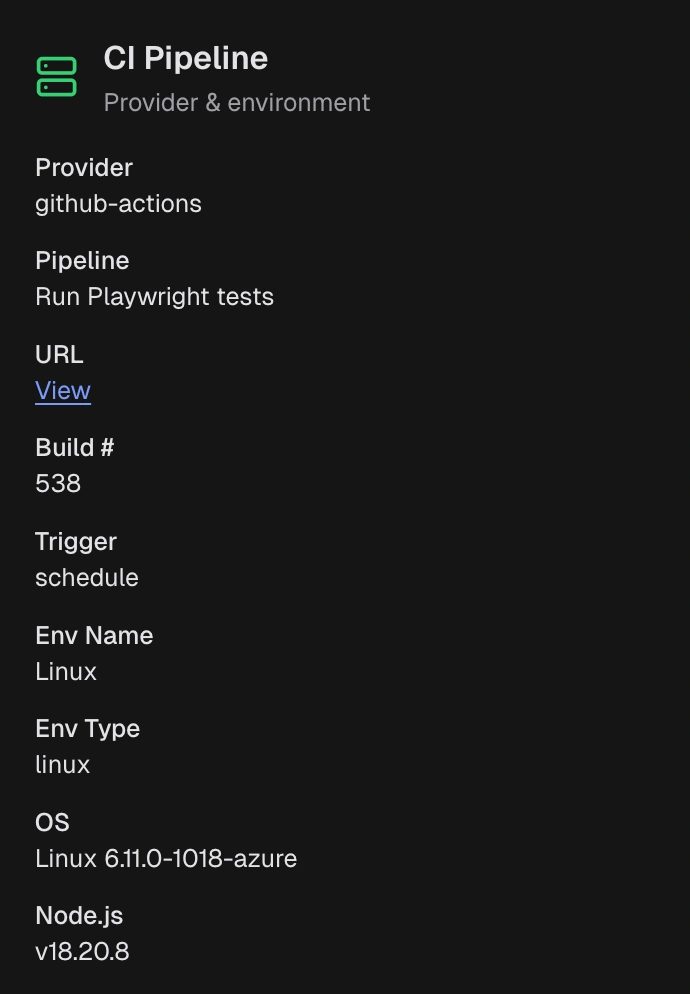
2. CI Pipeline

CI pipeline section showing provider, workflow, build number, trigger, and environment
  • CI provider, workflow or job, build number, trigger, run URL.
  • Target environment and any sharding info.
Use this section to confirm the test run is from the expected pipeline and compare it with other CI runs.

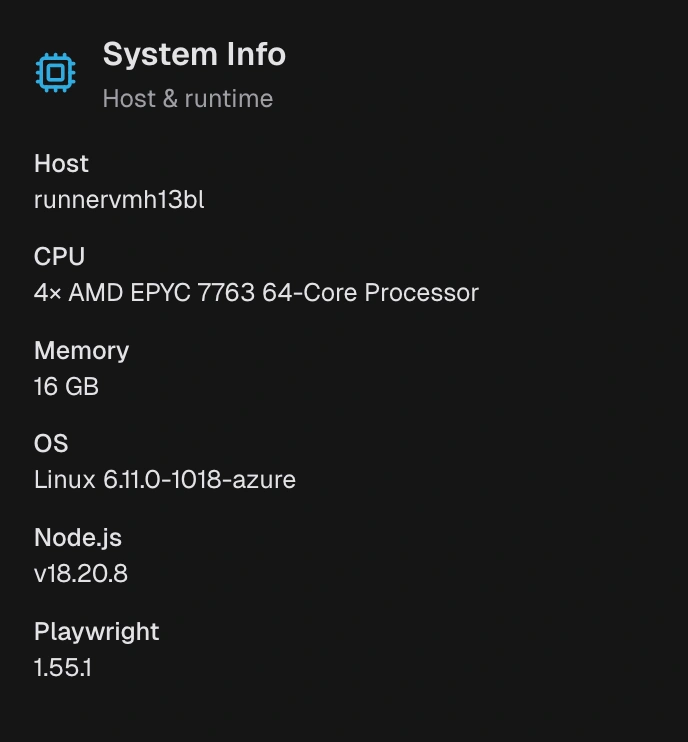
3. System Info

System info section showing OS, container image, CPU, memory, Node.js and Playwright versions
  • OS and version, container image, CPU, and memory.
  • Node.js and Playwright versions, timezone, and locale.
Use this section to spot runner differences between local and CI, or between CI environments.

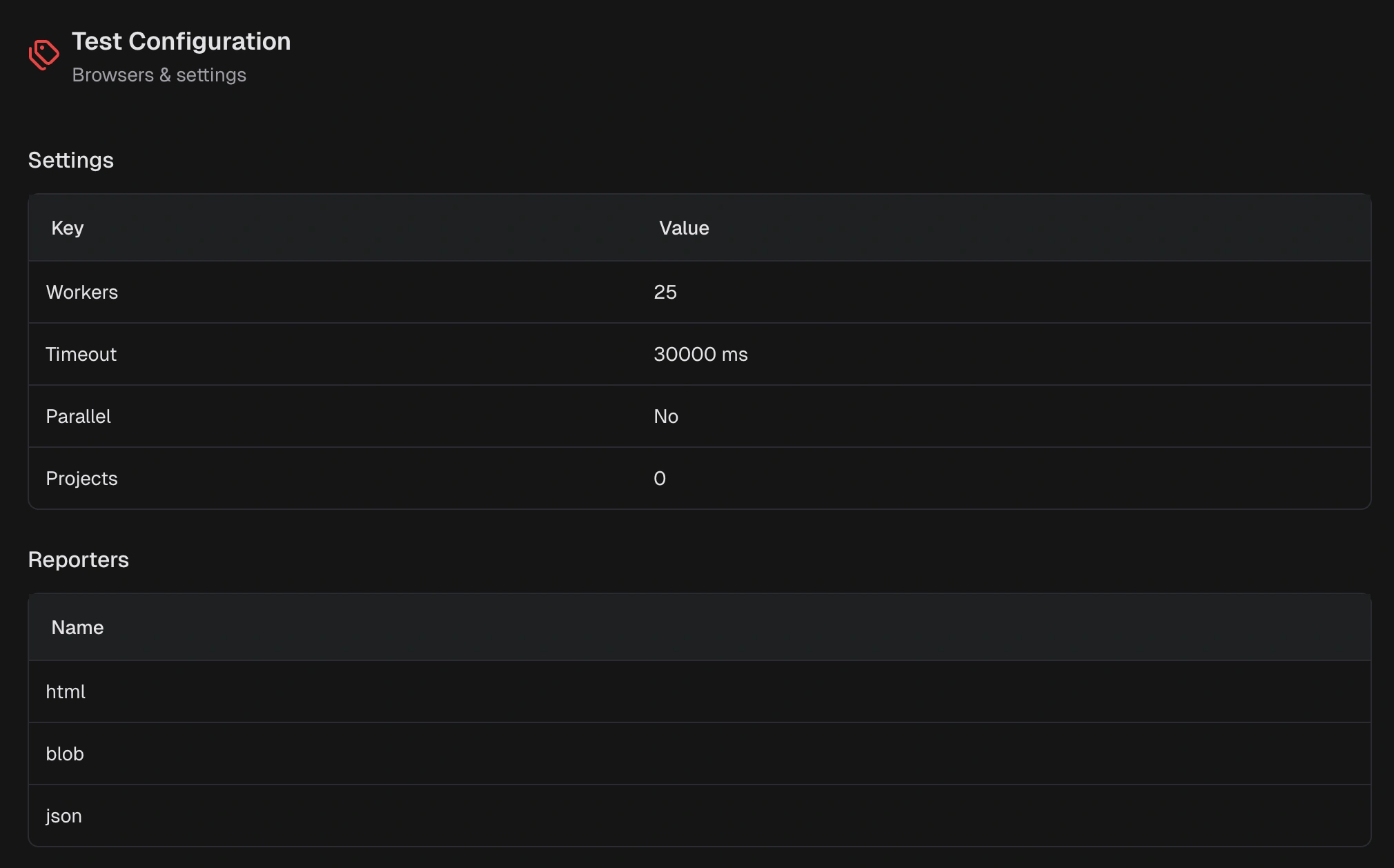
4. Test Configuration

Test configuration section showing browsers, workers, retries, timeouts, and reporter settings
  • Projects, browsers, workers, retries, parallel mode.
  • Timeouts, baseURL, headless, device, or viewport.
  • Reporters and artifacts, selection filters or tags.
  • Safe environment variables and flags are noted.
Use this section to reproduce the run and identify configuration drift across runs.