

@regression, @smoke, @v1.2.3) and are visible across all detail tabs. Test-case-level tags and annotations are visible in the Detailed Analysis table.
KPI Tiles
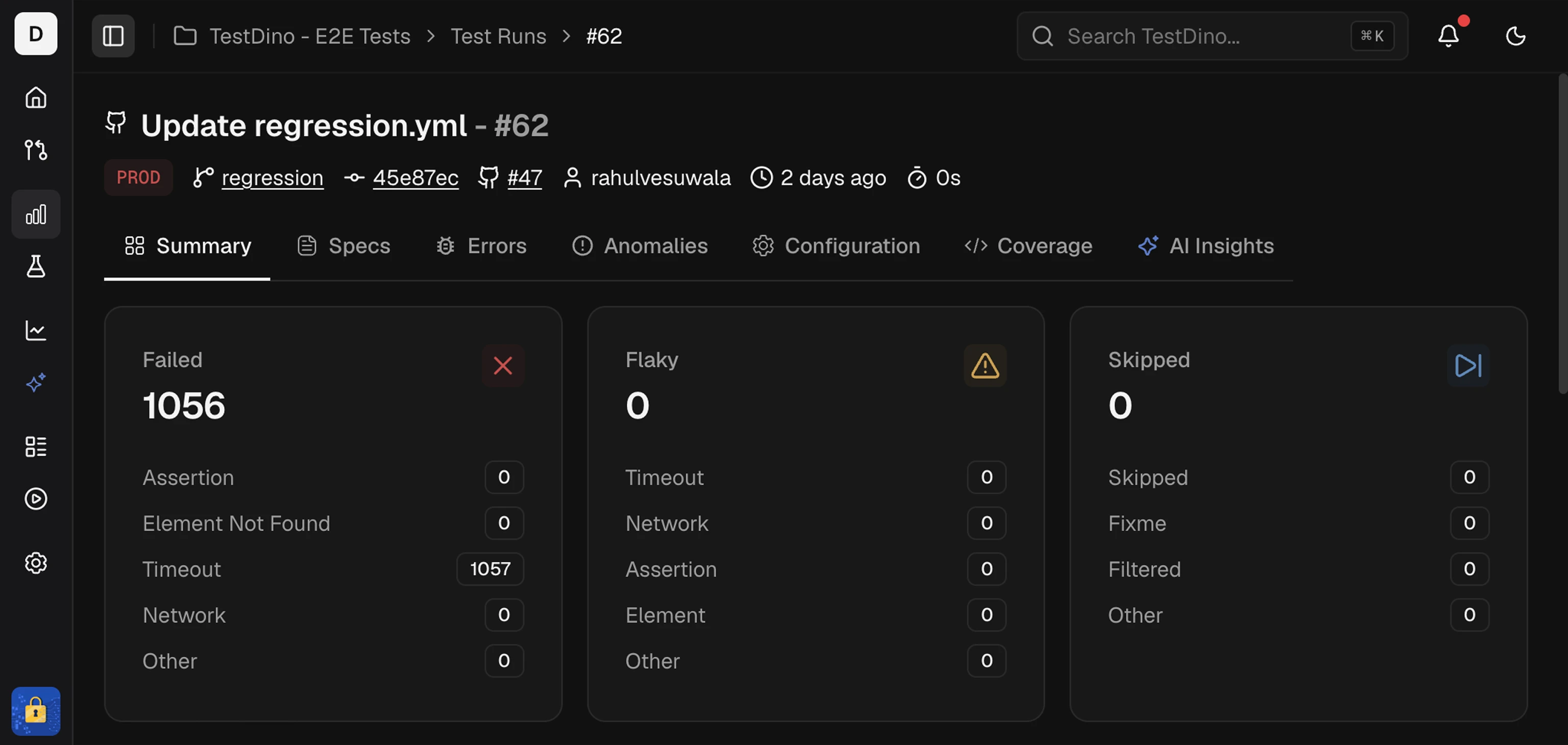
Failed
A failed test runs and ends with an error or unmet assertion. Use the cause buckets to prioritize fixes and group similar issues.- Assertion Failure: The expected value did not match the actual value.
- Element Not Found: The locator did not resolve to an element.
- Timeout Issues: An action or wait exceeded the set time.
- Network Issues: A request failed or returned an unexpected status.
- Other Failures: Errors that do not fit the above, for example, script errors or setup issues.
Flaky
A test is categorized as Flaky when the outcome is inconsistent across attempts or recent runs without a code change. It often passes on retry.- Timing Related: Order, race, or wait sensitivity. Often passes on retry.
- Environment Dependent: Fails only in a specific environment or runner.
- Network Dependent: Intermittent remote call or service instability.
- Assertion Intermittent: Non-deterministic data or state causes occasional mismatches.
- Other Flaky: Unstable for reasons outside the above buckets.
Skipped
A skipped test does not run due to a skip directive, configuration, or runtime condition. No assertions executed.- Manually Skipped: Explicitly skipped in code or via tag.
- Configuration Skipped: Disabled by config, project, or reporter settings.
- Conditional Skipped: Skipped due to an evaluated condition at runtime.
Detailed Analysis
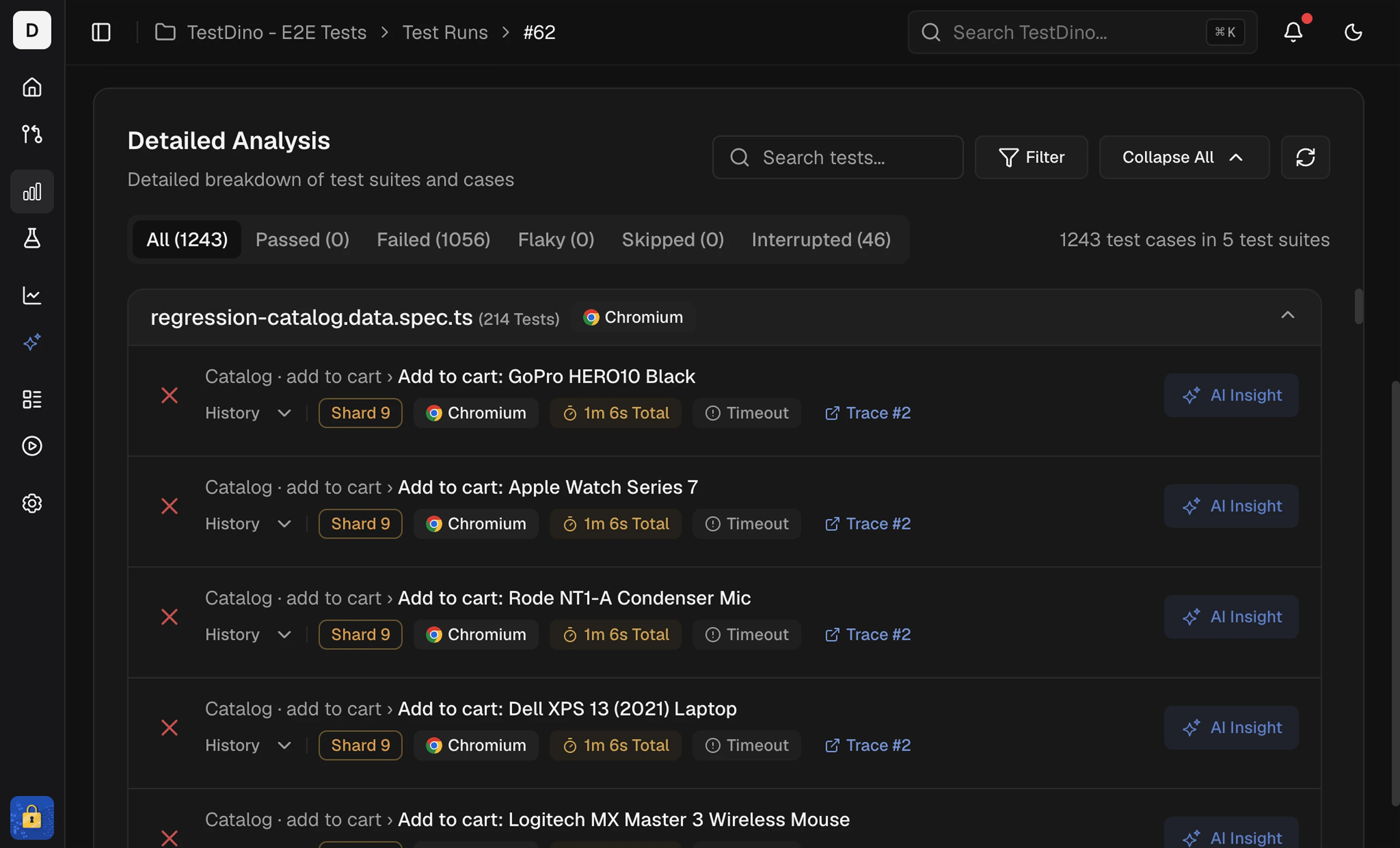 This table lists every test in the run, allowing you to move from the summary signal to a specific test.
It includes:
This table lists every test in the run, allowing you to move from the summary signal to a specific test.
It includes:
- Status, spec file, duration, retries, and failure cluster in one place.
- Label button on failed and flaky rows to set a defect type. Once the run has labels, a Defect types card above this table shows triage progress.
- Annotations badge on tests that have
testdino:annotations. Click to expand and see chips for priority, feature, owner, and Slack targets inline. See the Annotations guide for how to add them. - History preview shows the current run and up to 10 past executions.
- #Trace link (when available) to open full Playwright trace viewer with actions, console output, and network calls.
- Token search and filter chips.
- Sort by duration or status to surface slow or failing tests first.
- One-click access to the test case.
Search Tokens
Use tokens to filter and combine conditions:s: status (passed, failed, flaky, skipped)
c: cluster (assertion-failure, timeout, network-error, …)
@ tag (smoke, regression, e2e)
b: browser (chrome, firefox, safari, edge)
Sorting
Switch between Default, High to Low, and Low to High to spot slow tests and quick wins.Context Carry-Over
Selections in Summary KPI Tiles apply to the table. When you select Failed, Flaky, Skipped, or a cause bucket, the table shows only matching tests.Related
Specs
Review results by spec file
Errors
Group failures by error message
Analytics
Track reliability and duration trends over runs
Configuration
Debug environment differences
Coverage
Per-run code coverage breakdown