

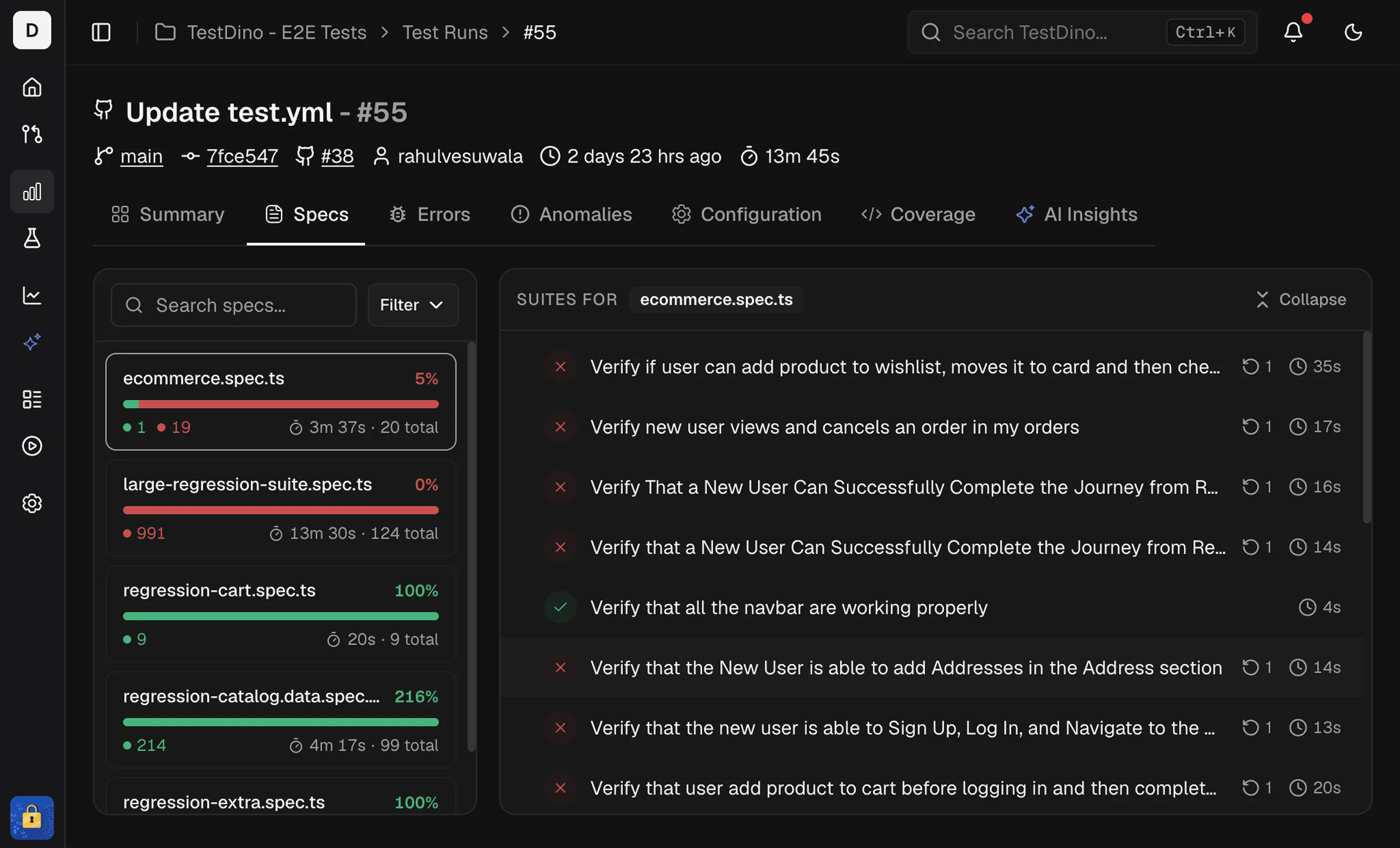
Spec List
The left panel lists every spec file in the run. Each item shows:- Spec card: File name, total tests, a status bar (pass/fail/flaky/skipped), and total duration.
- Sort: by Name, Duration, or Status to surface slow or failing files.
- Filter: show only Passed, Failed, Flaky, or Skipped specs.
- Search: type a file name to jump to a spec.
Spec Details
The right panel shows tests for the selected spec. It includes:- Suite totals at the top, including total time and test count
- A test list with status, duration, and retry or attempt badges
NoteSort by duration to find long-running specs first.
Related
Summary
Group failures by cause
Errors
Group failures by error message
Analytics
Track tag and reliability trends across runs
Annotations Guide
Add tags and annotations to your tests