

Open a run
- Filter by time, environment, branch, status, or tags
- Scan result counts and open a run that needs action
- Use the detail tabs:
Search and filters
The Status filter has 2 tabs, and you can select from either or both:
Use the Test Case tab to find runs with a flaky or skipped test, which the run-level status does not surface on its own.
Active test runs
Runs still executing appear in Active Test Runs at the top, with a live progress bar and pass/fail/skip counts. Sharded runs show a SHARDED label and per-shard tabs. Runs assembled from separate CI jobs show a SPLITTED label, a progress bar segmented per split, and per-split tabs.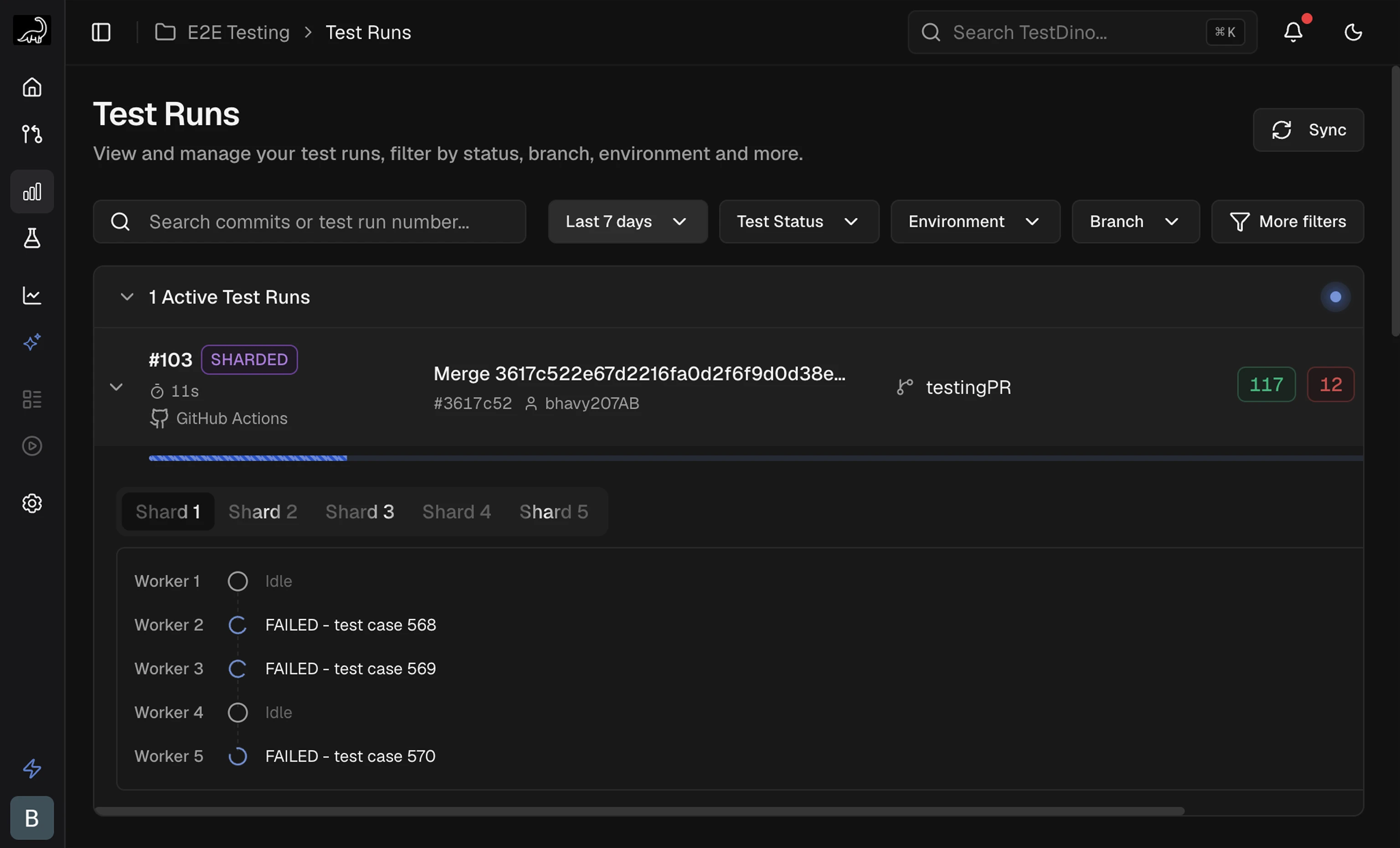
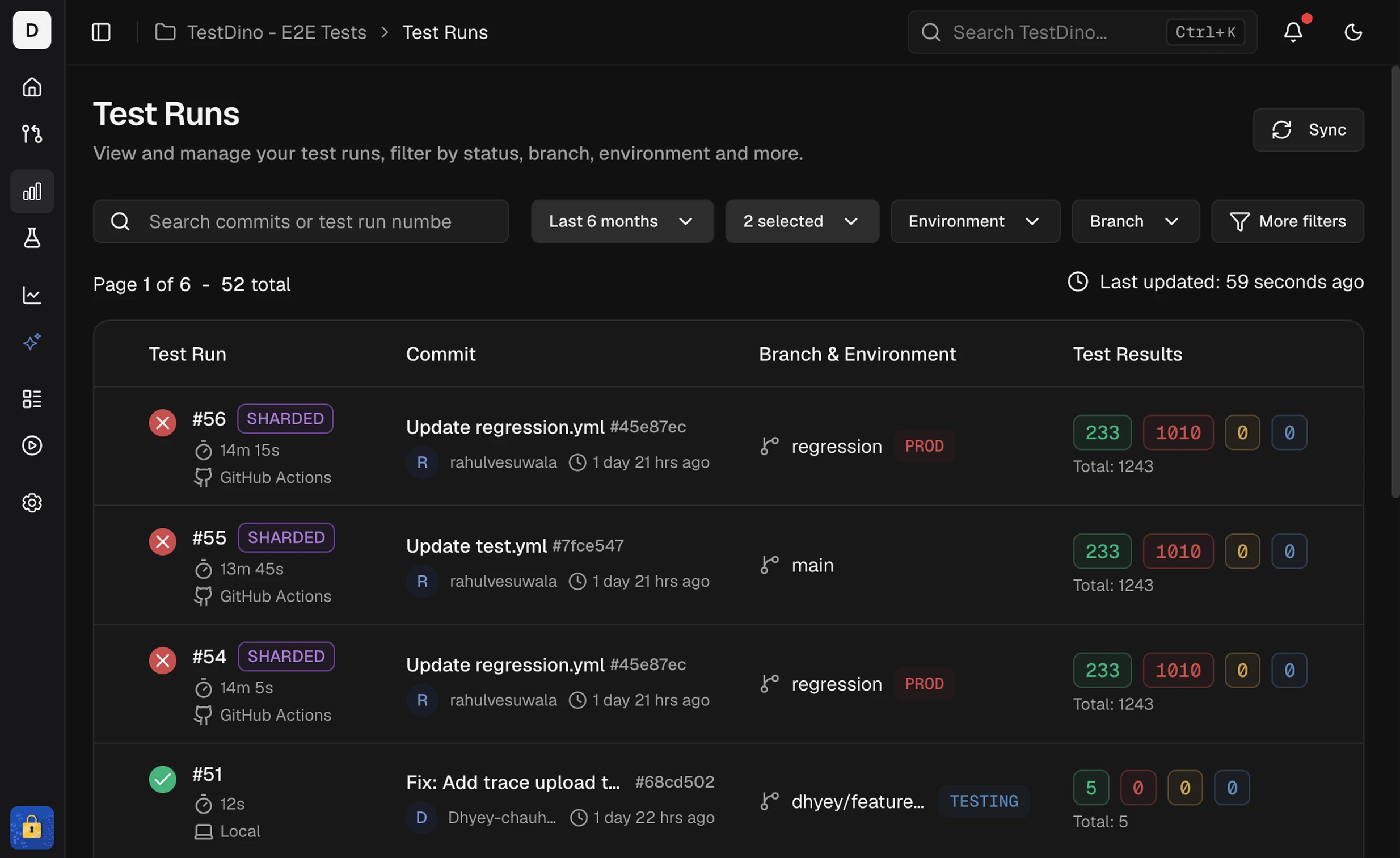
Run list columns
Run-level tags
Label an entire run with--tags on tdpw test. These are separate from test-case tags set via annotations.
Run detail header
Shards breakdown
Sharded runs (--shard) show a Shards section on Summary. Pass the same --ci-run-id to every shard so TestDino merges them into one run. Setup: Node.js CLI → Sharded runs.
After the run finishes, imbalance (for example
3.0×) compares slowest to fastest shard. A failure-concentration note appears when one shard holds most failures. Click shard rows to filter Detailed Analysis to those shards.
Splits breakdown
Runs assembled from separate CI jobs (--split) carry a SPLITTED badge and show a Splits section on Summary in place of Shards. Learn how to set the jobs up in Split mode.
A split that used
--shard expands to a per-shard table, and Split and Shard act as independent filters. If 2 splits reported the same test cases, the panel warns that per-split counts may be unreliable: split statuses stay accurate while totals become approximate.
Summary
Failures and flakiness by cause
Errors
Group failures by error message
Test Cases
Evidence and AI analysis per test