

Re-run requires the
@testdino/playwright npm package at 2.7.0 or later, and Playwright 1.56 or later. Check yours with npm ls @testdino/playwright. An earlier version exits with error: unknown option '--rerun'.Quick Reference
Start a re-run from the dashboard
Re-run sits in the action row right of the tab strip on a test run’s page, next to Debug with AI. It appears once the test run has finished and carries at least 1 failed or flaky test case. A test run reportingpassed still shows it when the run carries flaky test cases.
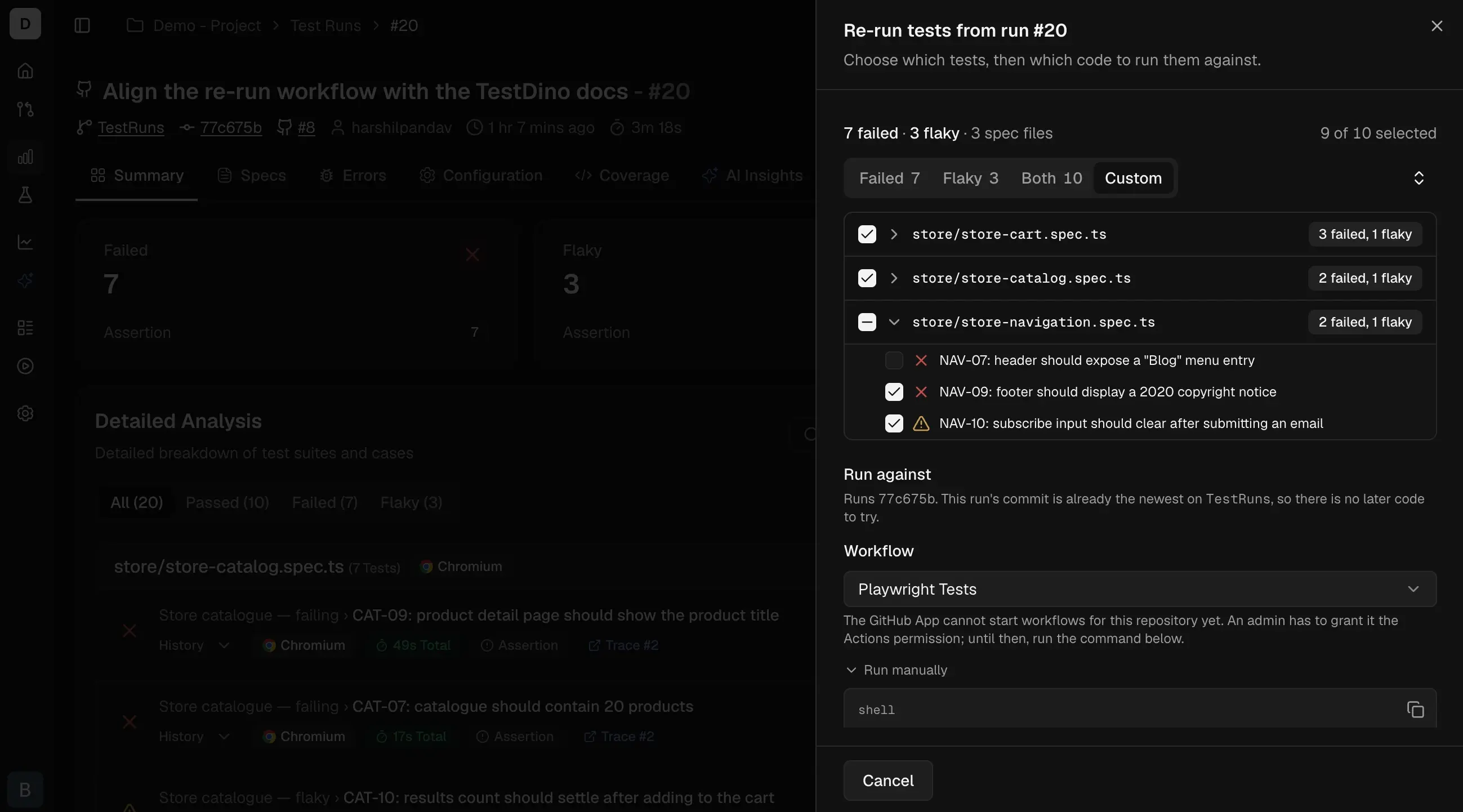
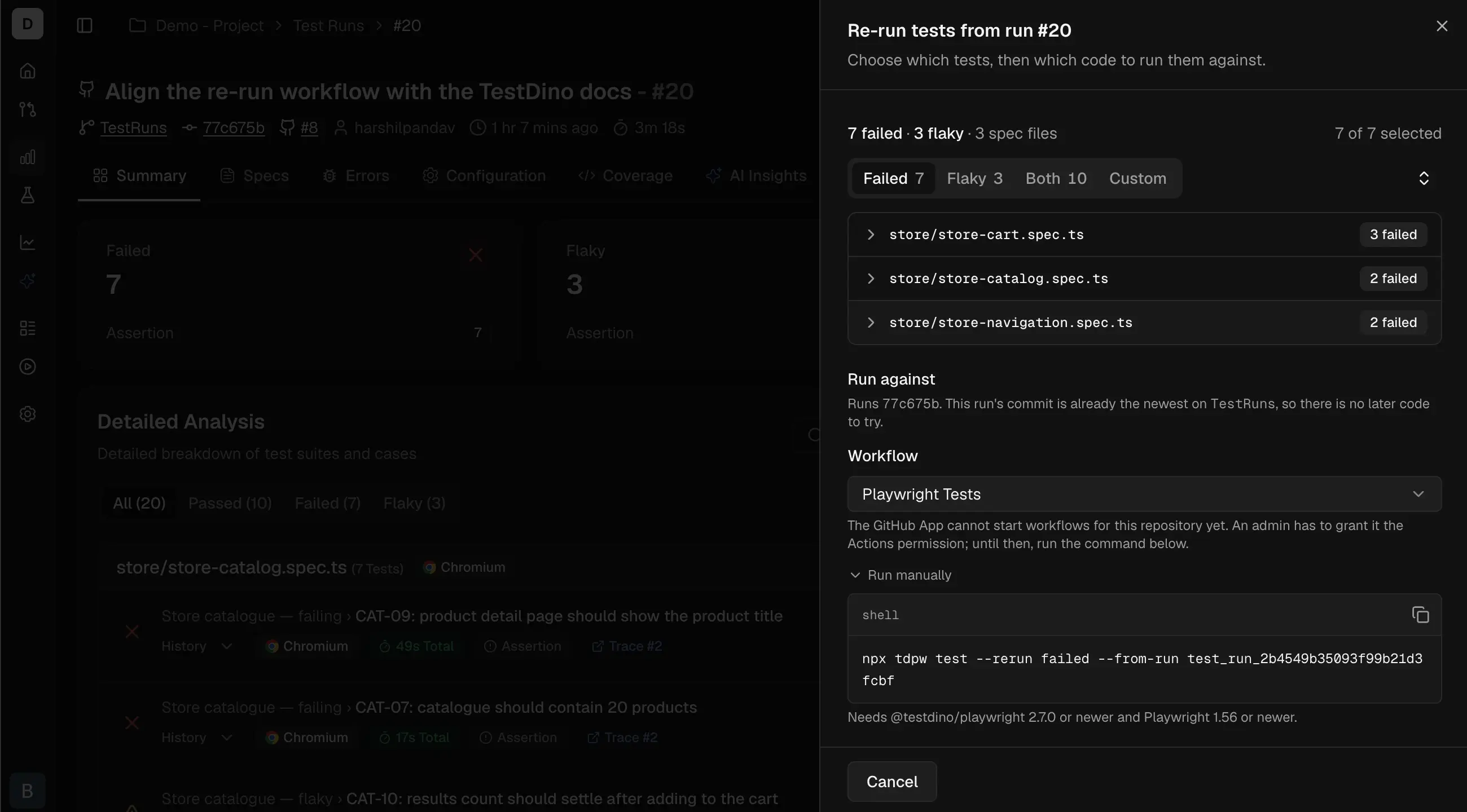 The panel shows the count that will run as
 7 of 9 selected, the code choice, and the workflow that will run it. The button states what happens:
The new test run appears in the run list once CI picks it up, linked to the run it came from.
Choose which test cases run
Custom appears when there is more than 1 test case to choose between. On large test runs it adds a search box and a group-by choice for spec file, failure reason, or browser.
Choose which code runs
Run against offers 2 options, and they answer different questions:
This commit is unavailable, with the reason shown, when the original test run recorded no commit or recorded uncommitted changes alongside it. Latest is unavailable when the branch is gone; the re-run then dispatches on the default branch, still pinned to the original commit.
Enable the dashboard button
Connect GitHub to the project in Project settings, under Integrations, and grant the TestDino GitHub App permission to start workflows. Then declare the re-run inputs on a workflow. Either shape works, because TestDino offers any active workflow that declarestestdino_rerun_from:
- Existing workflow
- Separate workflow
Add
workflow_dispatch and the inputs to the workflow you already run Playwright with. The if [ -n "$TD_RERUN_FROM" ] guard is what keeps a normal push unchanged: on a push the input is empty, so no re-run arguments are added..github/workflows/playwright.yml
The workflow file itself always comes from the branch tip, so a same-commit re-run runs the original test code under your current pipeline definition.
Re-run from the command line
Without a GitHub connection the panel gives you this command under Run manually, with the id lists filled in:CLI flags
--rerun is refused alongside a Playwright argument that would fight the selection: --grep, --grep-invert, --last-failed, --test-list, and --shard. Full flag reference in @testdino/playwright.
Re-run from an AI agent
rerun_test runs only after you have seen the selection and said yes, so an agent cannot spend CI minutes on its own. Parameters for both are in the MCP tools reference.
Troubleshooting
error: unknown option '--rerun'
error: unknown option '--rerun'
The project resolves
npx tdpw to a CLI older than 2.7.0, which passes the flag through to Playwright. Upgrade @testdino/playwright to 2.7.0 or later.No workflow is offered in the panel
No workflow is offered in the panel
No workflow on the branch declares a
testdino_rerun_from input, or the TestDino GitHub App lacks permission to start workflows. The panel falls back to the terminal command. See Enable the dashboard button.Results are still being processed
Results are still being processed
The test run finished seconds ago and its results are still being read. The panel updates itself; the CLI waits. This is not the same as having nothing to re-run.
Some test cases are listed as needing a manual run
Some test cases are listed as needing a manual run
Playwright identifies a test case by its full name, splitting the parts on
› and trimming each one, with no escape for either. A title containing that separator, or starting or ending with a space, a non-breaking space, or a line break, cannot be requested exactly.Those test cases are listed separately everywhere the selection appears, and the selected count excludes them, so a re-run never reports success for a test case it could not execute. Run them with your usual Playwright command, or rename the test case.Related
Debug with AI
Hand a failure to your coding agent from the same action row.
Flaky tests
How TestDino decides a test case is flaky.
Test run details
The run page this panel opens from.
GitHub Actions
Reporting Playwright results from GitHub Actions.