

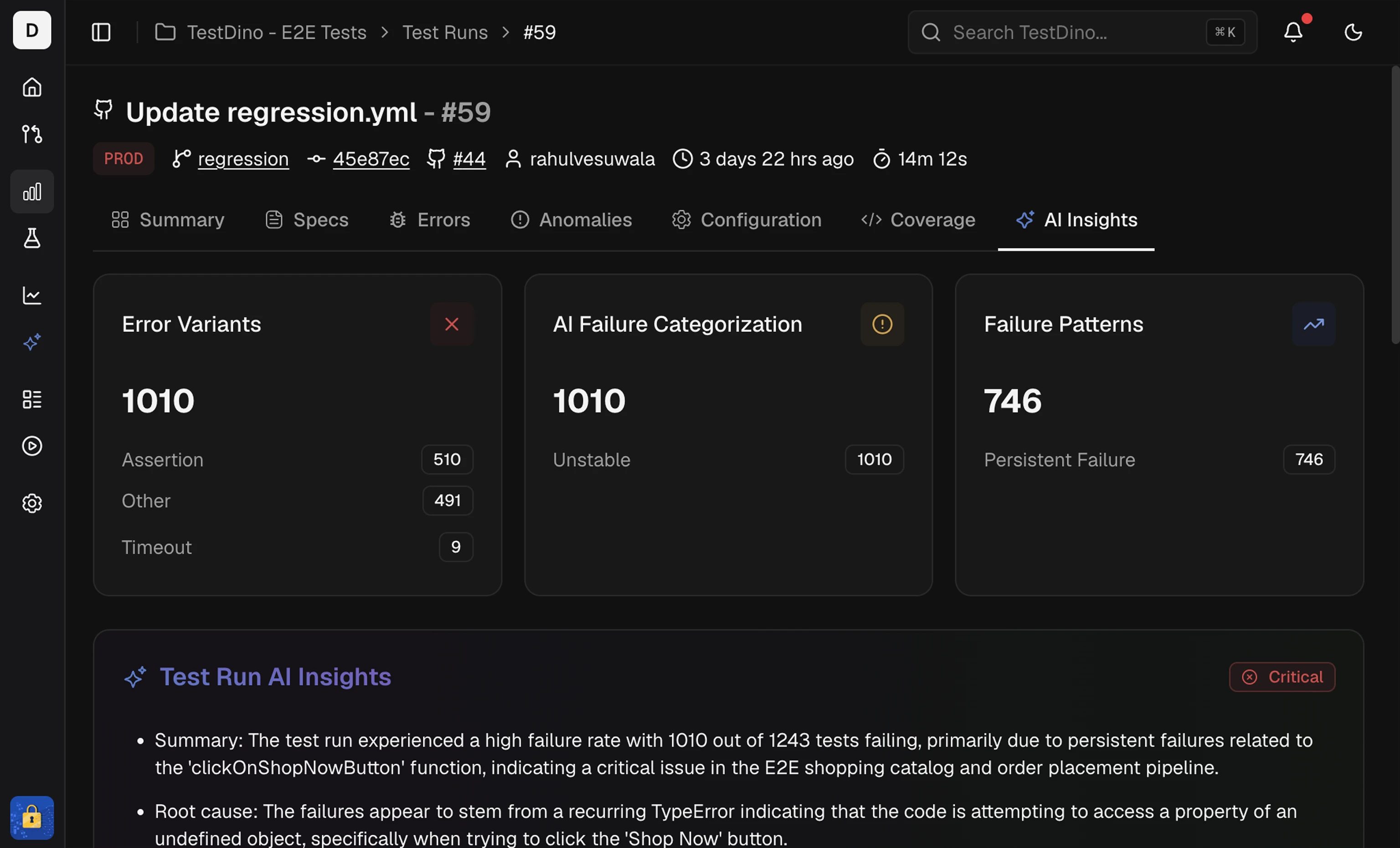
KPI Tiles
Error Variants
Shows distinct error signatures and how many tests match each variant, for example, timeout, element not found, network error, or timing-related. Use this to identify the most common failure shape in the run.AI Failure Categorization
Shows how failures are classified into:- Actual Bug
- UI Change
- Unstable
- Miscellaneous
Error Analysis
This table lists failing tests with:- Test case
- Failure category
- Error text
- Error variant
- Duration
Filtering
Selecting any tile (variant or category) adds an active filter chip and scopes the table to matching tests. Combine one Error Variant with one AI Category to get a focused slice, for example, Actual Bug + Timeout.Related
Summary
Group failures by cause
Specs
Review results by spec file
Errors
Group failures by the error that caused them
Analytics
Track reliability and duration trends over runs
Configuration
Debug environment differences
Test Cases
Individual test analysis