

@regression, @smoke, @v1.2.3) and are visible across all detail tabs. Test-case-level tags and annotations are visible in the Detailed Analysis table.
KPI Tiles
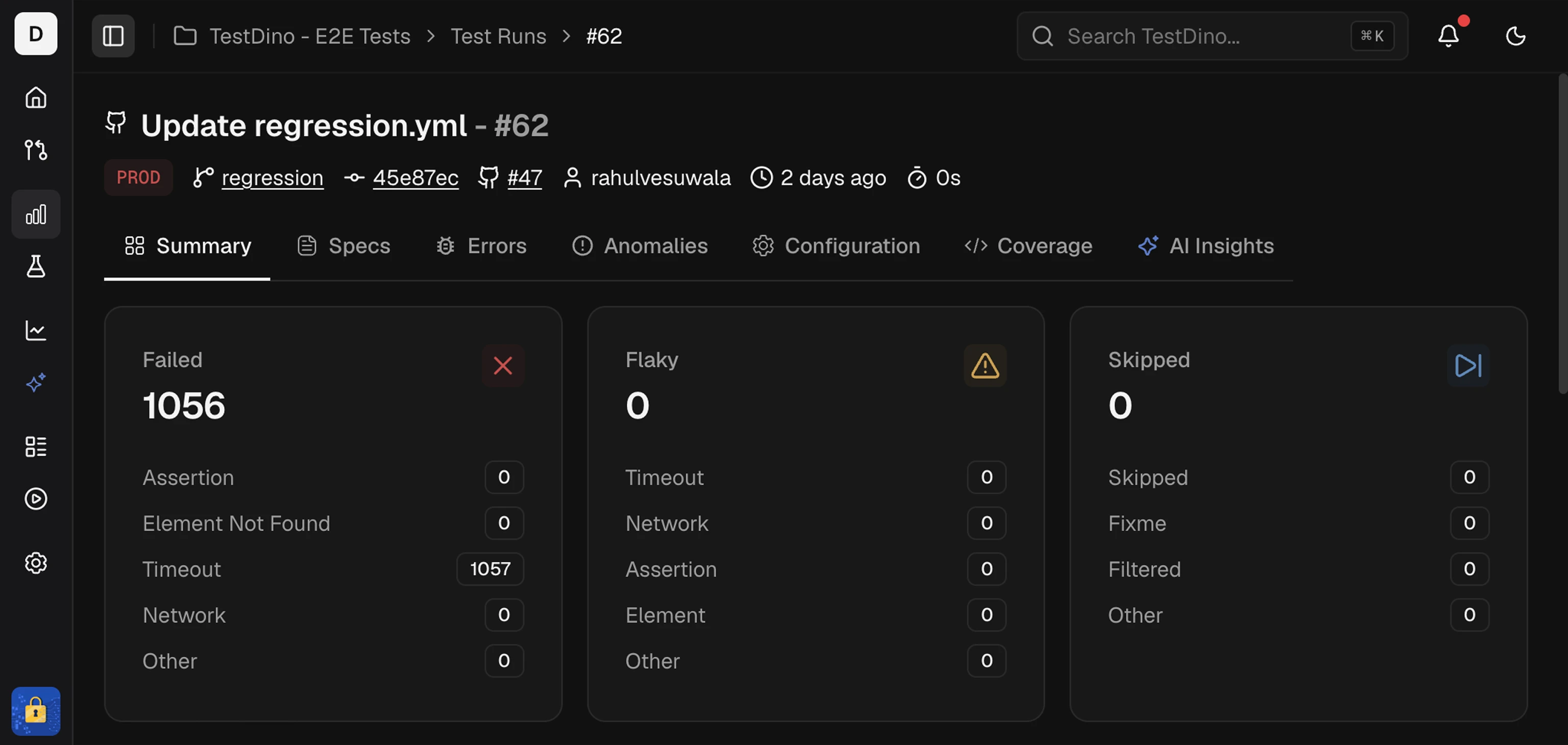
Failed
A failed test runs and ends with an error or unmet assertion. Use the cause buckets to prioritize fixes and group similar issues.- Assertion failed: The expected value did not match the actual value.
- Element not found: The locator did not resolve to an element.
- Timed out: An action or wait exceeded the set time.
- Network error: A request failed or the connection did not complete.
- File system error: A file or directory the run needed was missing or unreadable.
- Unclassified error: TestDino has the error message but it matched none of the buckets above.
Flaky
A test is categorized as Flaky when the outcome is inconsistent across attempts or recent runs without a code change. It often passes on retry. Flaky uses the same buckets as Failed, read from the attempt that failed before the test recovered.Skipped
A skipped test does not run due to a skip directive, configuration, or runtime condition. No assertions executed.- Skipped in code:
test.skip()on the test or on its describe block. - Marked fixme:
test.fixme(). - No reason given: Playwright skipped the test without recording why, for example the rest of a serial group after one test fails.
- Unrecognized reason: The test carries annotations, but none of them is a skip directive.
Detailed Analysis
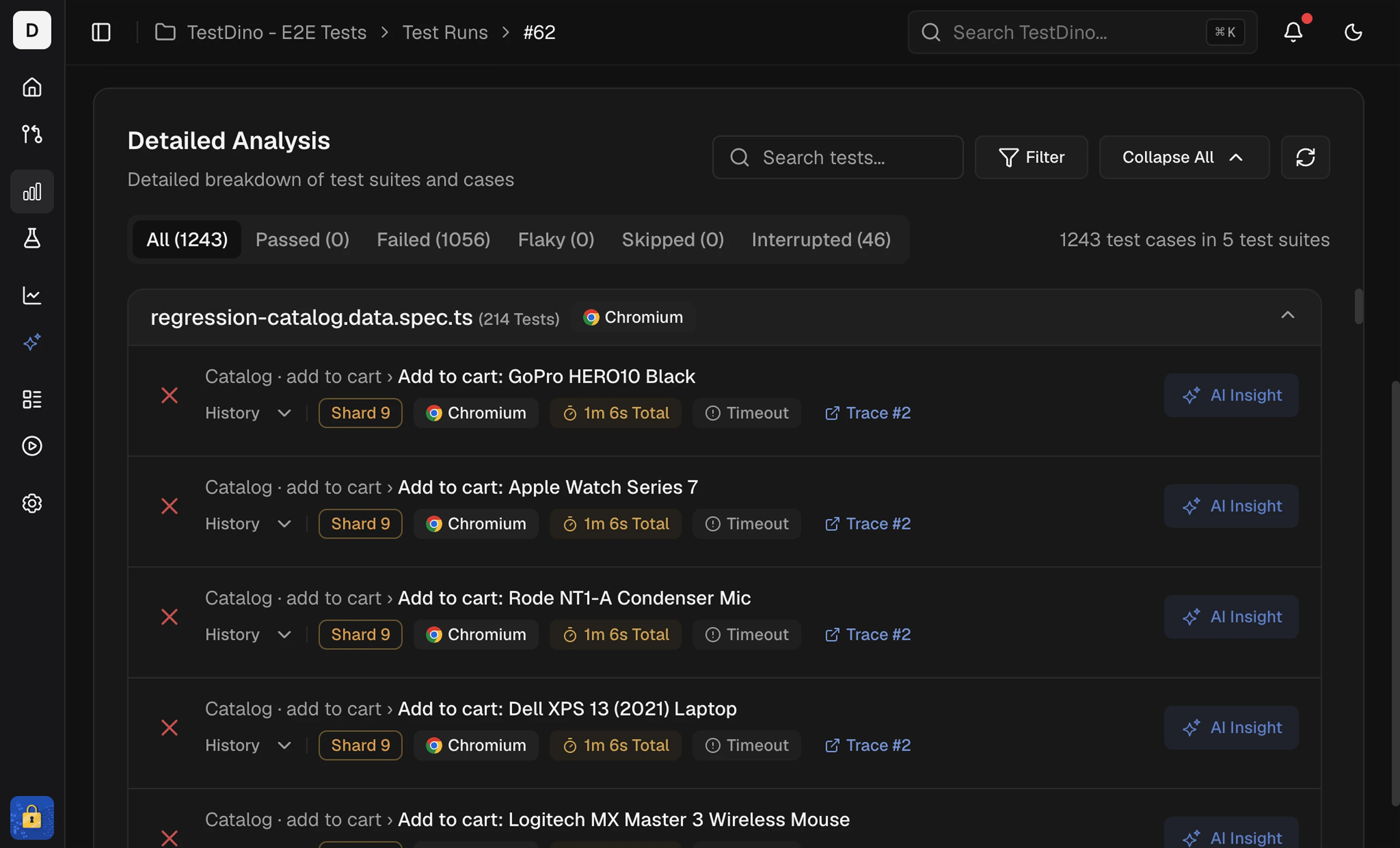 This table lists every test in the run, allowing you to move from the summary signal to a specific test.
It includes:
This table lists every test in the run, allowing you to move from the summary signal to a specific test.
It includes:
- Status, spec file, duration, retries, and failure cluster in one place.
- Label button on failed and flaky rows to set a defect type. The filter menu’s Defect type section narrows the table to 1 defect type or to Not triaged.
- Annotations badge on tests that have
testdino:annotations. Click to expand and see chips for priority, feature, owner, and Slack targets inline. See the Annotations guide for how to add them. - History preview shows the current run and up to 10 past executions.
- #Trace link (when available) to open full Playwright trace viewer with actions, console output, and network calls.
- Token search and filter chips.
- Sort by duration to surface slow tests first.
- One-click access to the test case.
Search Tokens
Use tokens to filter and combine conditions:s: status (passed, failed, flaky, skipped)
c: cause bucket for failed tests (assertion, timeout, network, element-not-found, filesystem, other), flaky tests (flaky-assertion, flaky-timeout, flaky-network, flaky-element, flaky-filesystem, flaky-other), or skipped tests (skip-skipped, skip-fixme, skip-unannotated, skip-other)
ai: AI failure category (bug for Actual Bug, ui_change for UI Change, flaky for Unstable)
@ tag (smoke, regression, e2e)
b: browser, matched to your Playwright project name (chromium, firefox)
p: priority annotation value (p:p0)
o: owner annotation value (o:qa-team)
dt: defect type, added when you pick one in the filter menu’s Defect type section; dt:untriaged matches Not triaged
tc: Test Controls (quarantined, critical-retry for tests that passed only on retry)
Sorting
Sort by duration with High to Low (the default) or Low to High to spot slow tests and quick wins.Context Carry-Over
Selections in Summary KPI Tiles apply to the table. When you select Failed, Flaky, Skipped, or a cause bucket, the table shows only matching tests.Related
Specs
Review results by spec file
Errors
Group failures by the error that caused them
Analytics
Track reliability and duration trends over runs
Configuration
Debug environment differences